Validation with Synthetic QAs
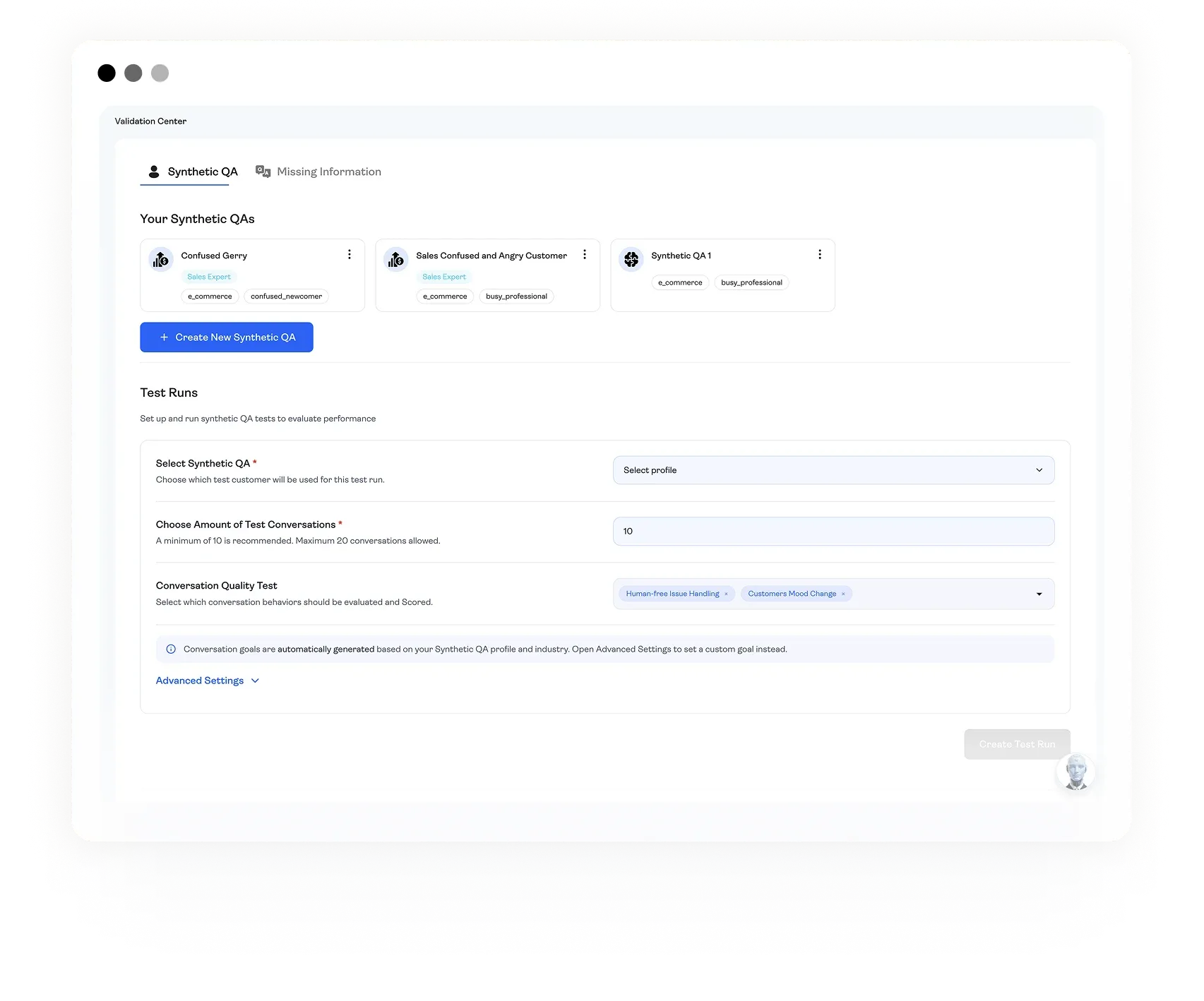
Validate your AI agents before launch with Synthetic QAs — AI-powered personas that simulate real customer behavior in batch conversations, scored automatically against your quality criteria.
> Why Validation Is Different for AI Agents
> Synthetic QAs: Your Agent's Toughest Critics
> Scoring That Connects to Your Build Process
> The Analysis Report
> Validation Is Not Optional
Why Validation Is Different for AI Agents
Traditional software testing is deterministic — same input, same output. AI agents don't work that way. Responses vary based on phrasing, tone, context, and conversation history. "Can I return this?" and "This thing is broken and I want my money back" are roughly the same question, but your agent might handle them completely differently. Multiply that by hundreds of phrasings and edge cases, and a few manual test messages won't cut it.
Manual testing also carries your own biases — you know what the agent should say, so you feed it the right inputs. Real customers won't.
AgentBrains solves this with Synthetic QAs — AI-powered personas that interact with your agent the way real humans do. They ask messy questions, push back, get frustrated, use slang, and test the boundaries of your agent's knowledge. Configure them once, run them in batches, and get scored results in minutes. No manual chatting, no guessing, no shipping an untested agent.
Synthetic QAs: Your Agent's Toughest Critics
Synthetic QAs are AI-driven personas that test your agents through realistic, multi-turn conversations. They don't just send one message — they carry on a full conversation, reacting the way a real customer would.
Each persona is grounded in your agent's industry and customer behavior patterns, including the difficult ones. They'll misspell words, ask vague questions, express frustration, circle back to earlier points, and push your agent into corners you'd never think to test manually.
Every interaction is scored through the same engine used on live conversations — quantifiable results you can compare, track, and act on. Faster than manual testing, more realistic than scripted cases, and fully measurable from the first run.

Personalities That Simulate Real Behavior
Available personas include: the Frustrated Customer who arrives angry and expects fast resolution; the Price-Conscious Shopper who raises objections and compares options; the Vague Asker who sends "it's not working" without context; the Detail Seeker who demands exact specs and exposes Knowledge Base gaps; and the Multilingual Hinter who mixes languages, slang, and typos.
Batch testing with Synthetic QAs replaces that entire process. Here's how it works:
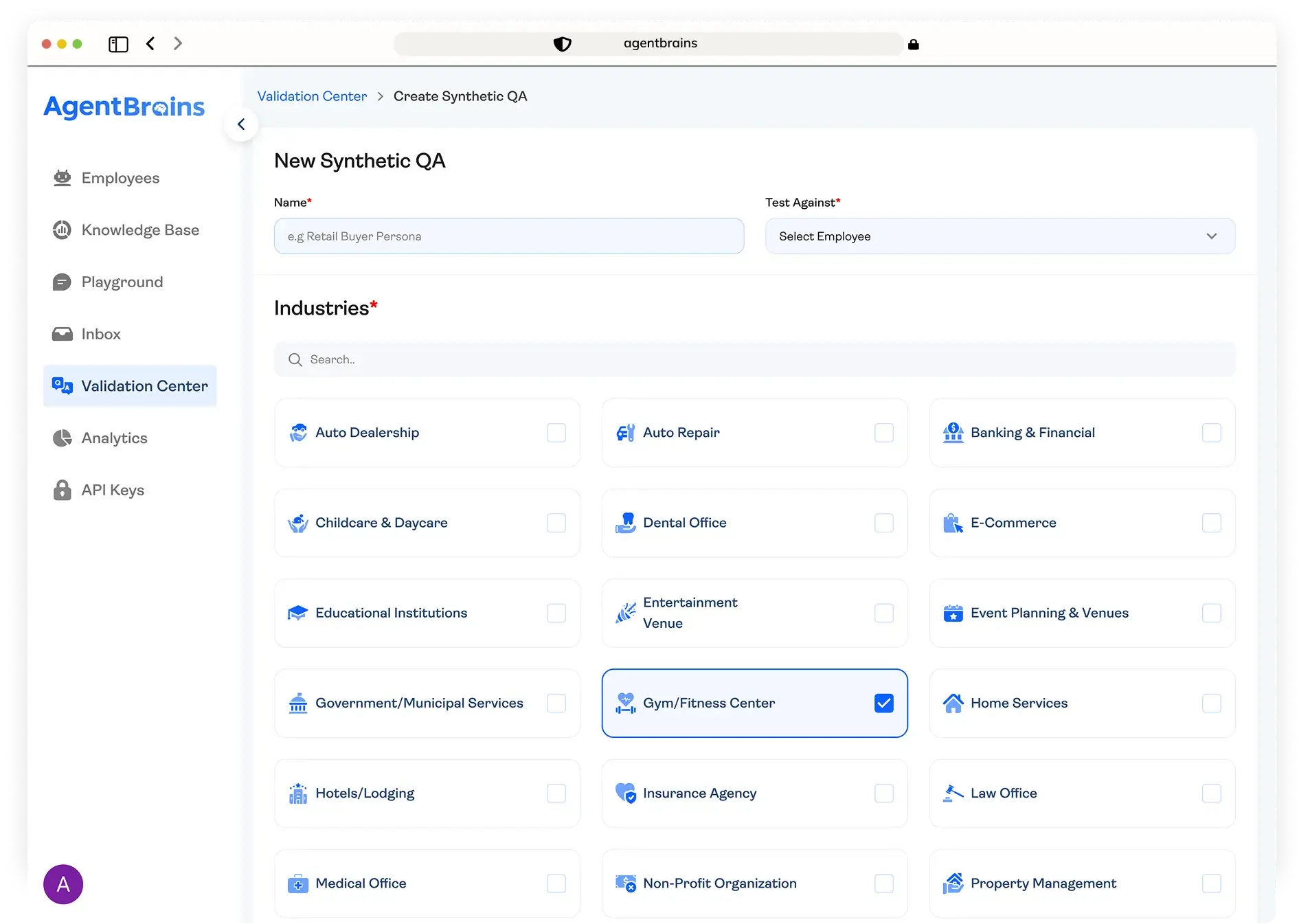
Step 1 - Create Your Synthetic QA Profile.
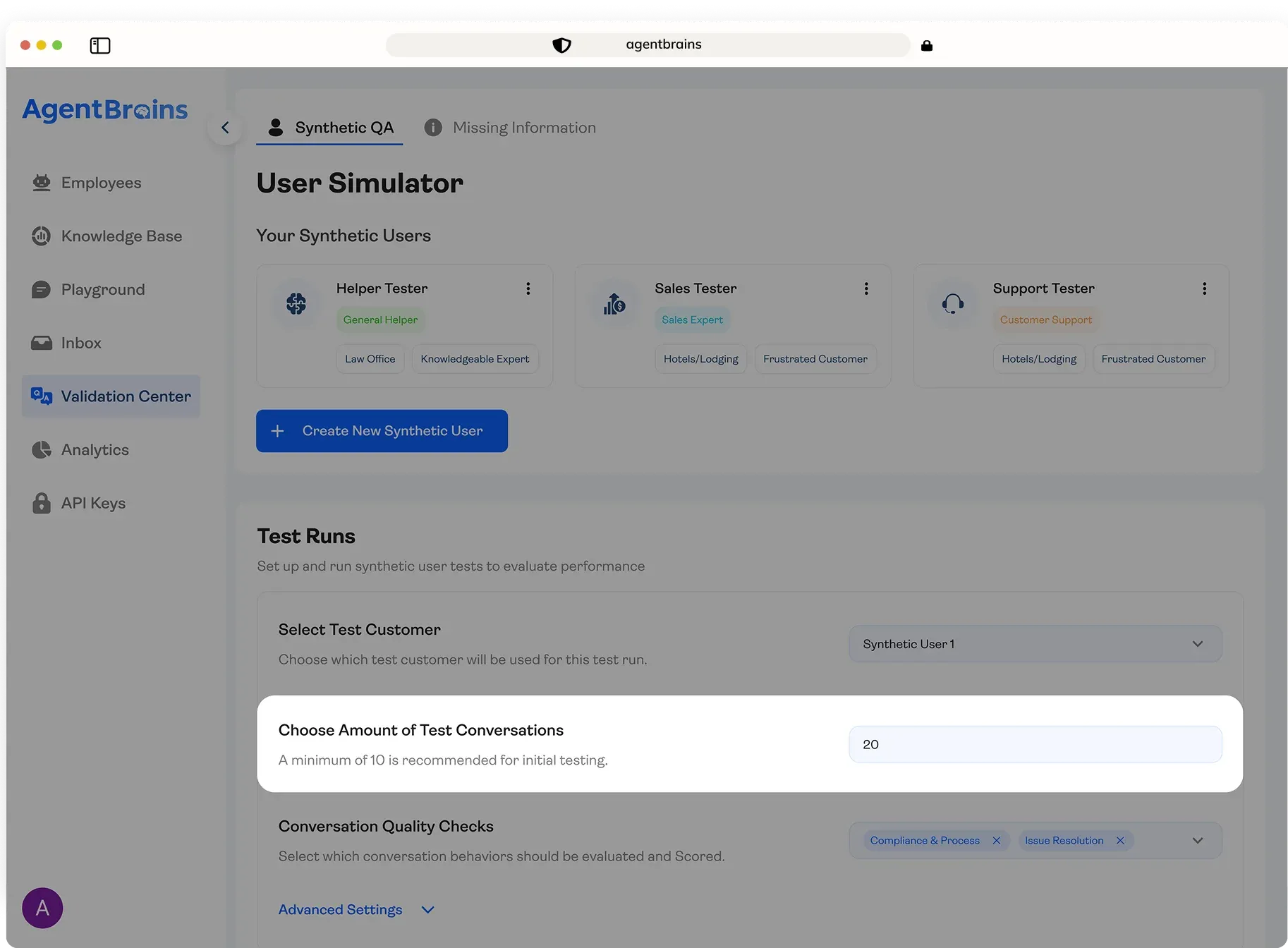
Step 2 — Set Your Batch Size.
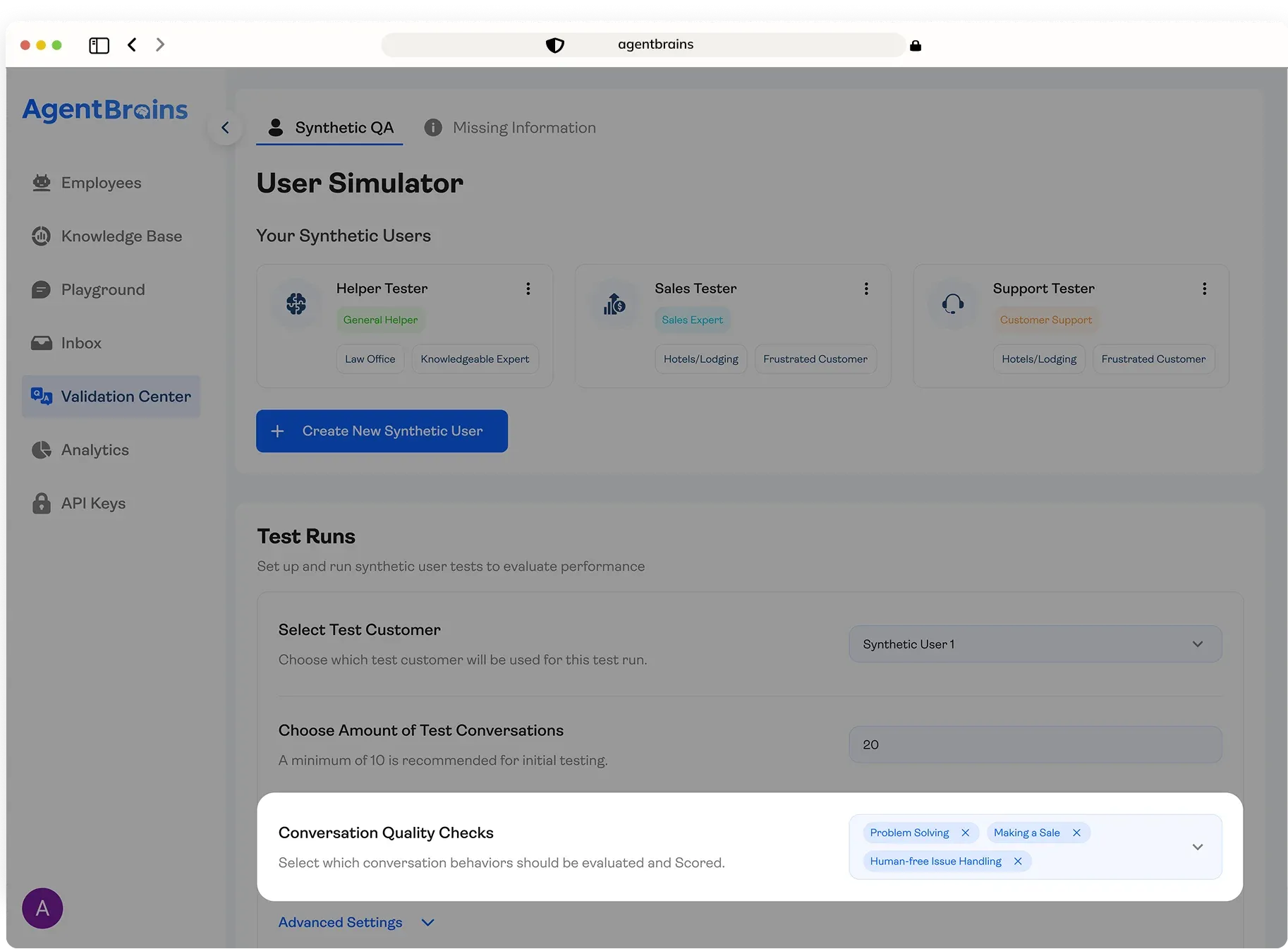
Step 3 — Attach Your Scoring Tests.
Select up to 3 scoring tests from the AgentBrains library to grade the results of this batch. You can use the same tests configured for your live production scoring, or choose different ones that are more relevant to your current development focus. Building a sales agent? Attach "Making a Sale" and "Objection Handling." Tuning a support bot? Go with "Problem Solving" and "Human-Free Issue Handling."
Step 4 — Run and Review.
Hit run. AgentBrains fires all conversations simultaneously against your agent. Within minutes, you receive the full dataset: every individual conversation with its own score, plus a comprehensive Analysis Report that outlines performance trends, highlights failures, and recommends specific fixes.
 Congratulations!
 You are all set. Run your first conversations, analyze results, and start optimizing performance in real time.
Scoring That Connects to Your Build Process
Synthetic QA conversations are scored using the same engine that grades live production traffic — same tests, same 1–10 scale, same Aggregate Score. The quality bar you set during validation is the same one your agent faces once it's live.
The difference: validation lets you focus. Production runs up to 3 tests on every conversation. During validation, you can narrow to the 2–3 tests that matter for the specific change you're making. Just restructured your Knowledge Base? Run "Information Completeness" and "On Task." Tuning sales behavior? Run "Making a Sale" and "Objection Handling."
This turns validation into a targeted debugging tool. Run a batch, read scores, adjust, run again, compare. Clear before-and-after on every change.
For full details on each test and the 1–10 scale, visit our Scoring documentation.
The Analysis Report
When a batch completes, you get a structured Analysis Report — not just the transcripts.
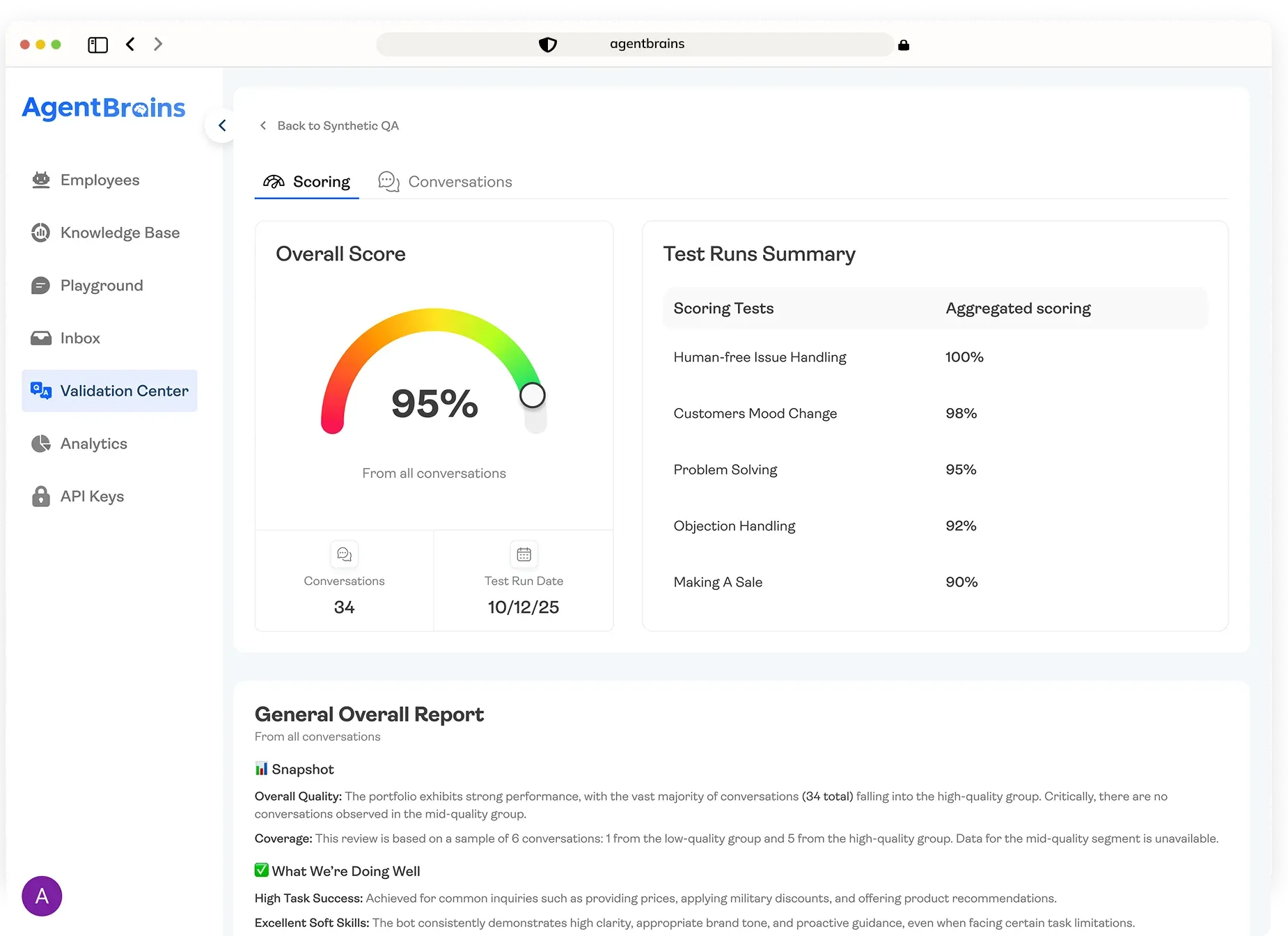
It opens with your Average Aggregate Score, a single 0–100% metric representing overall agent health across all conversations. Below that, you'll see individual test averages for each scoring criterion. This is where the insight lives — "Problem Solving" might average 8.5/10 while "Customer Mood Change" sits at 3.2, telling you the agent knows the material but is losing customers emotionally. That's a specific fix you can take straight back to your System Prompt or Knowledge Base.
The report also flags the lowest-scoring conversations so you can click into transcripts and see exactly where things broke down.
Every batch is saved in your Validation history, so you can compare results over time and track the impact of every change you make.
Validation Is Not Optional
The Agents That Make It to Production Are the Ones That Get Tested
Most AI agents never make it past the demo stage. They work in controlled environments where the builder knows exactly what to say, but they fall apart the moment a real customer sends a message the builder didn't anticipate. The gap between "it works when I test it" and "it works when anyone tests it" is where most projects die.
Synthetic QAs close that gap. They introduce the variability, the frustration, the edge cases, and the messy human behavior that your agent will face in production — but they do it in a controlled environment where failure is cheap and fixable. A low score in validation is a bug you caught early. A low score in production is a customer you lost.
Every batch run gives you data. Every data point gives you a direction. And every fix you make can be re-validated in minutes to confirm it actually worked. This is not a one-time pre-launch checklist — it's a continuous loop that keeps your agent sharp as your business evolves, your Knowledge Base grows, and your customer base changes.
If you're building agents for production, validation with Synthetic QAs isn't a bonus feature. It's the process that separates agents that demo well from agents that actually work.