Conversation Scoring
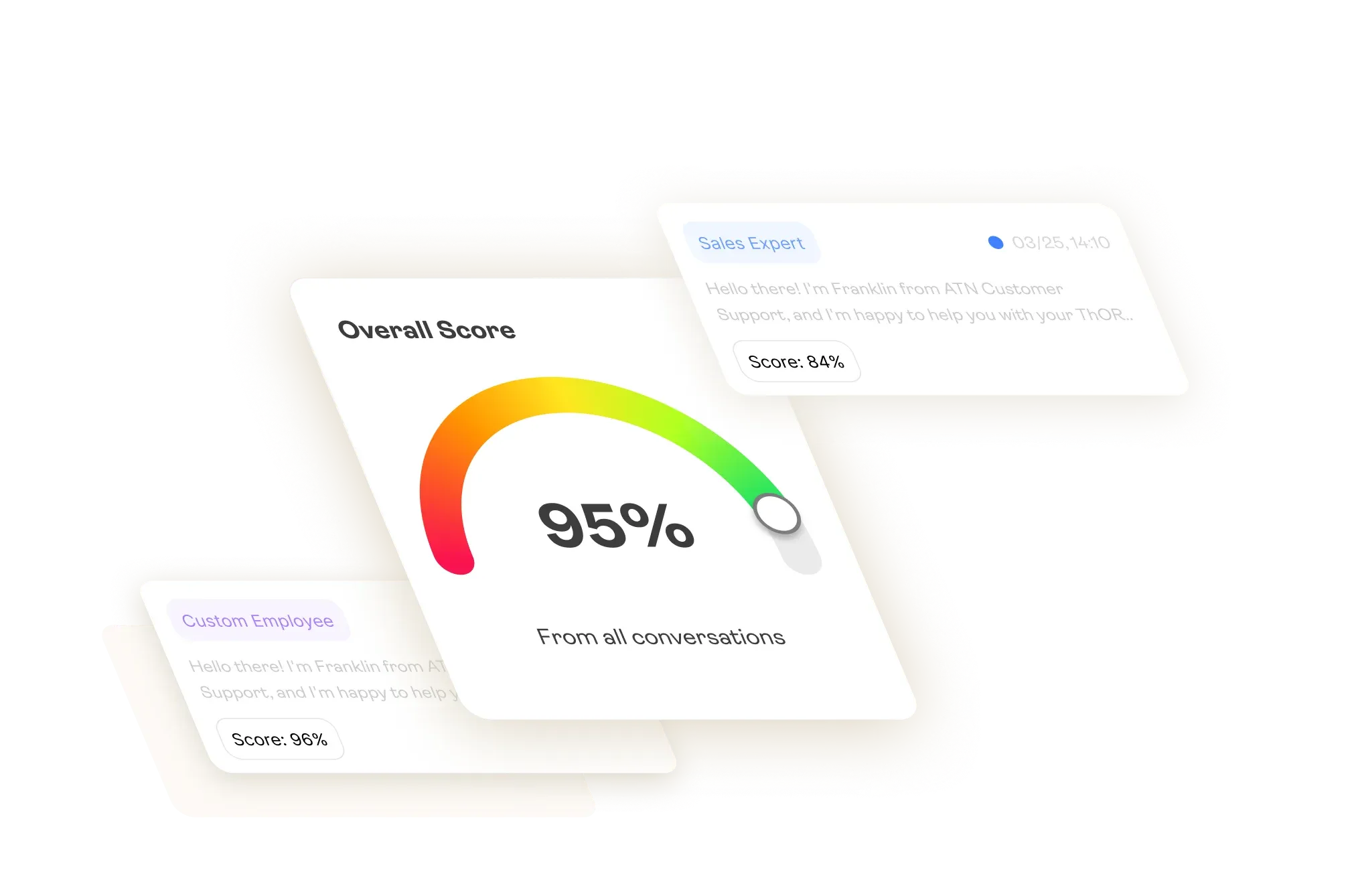
AgentBrains automatically scores 100% of your AI agent conversations. Learn how the Aggregate Score, individual test breakdowns, and scoring tests help you build production-grade agents.
> Why Score Every Conversation?
> How Scoring Works: The Aggregate Score
> The Detailed Breakdown
> Choosing the Right Tests for Your Agent
> Scoring Tests Library
> Scoring Across Your Entire Lifecycle
Why Score Every Conversation?
If you're building AI agents for production, you already know that launching is only half the battle. The harder part is knowing whether your agent is actually doing its job — across hundreds or thousands of conversations you'll never have time to read.
That's the problem scoring solves.
AgentBrains automatically evaluates 100% of your agent's conversations — whether they happen with real customers or Synthetic Users during validation. Every single interaction receives a quality score, giving you a definitive answer to the question every builder eventually asks: "Is this thing actually working?"
Here's why this matters for your build:

You can't read every log.
At scale, manual QA is impossible. You might review a handful of transcripts per week, but your agent handles many more. Scoring gives you coverage you can't achieve by hand. Every conversation is evaluated against a consistent rubric — not just the ones you happen to click on.

Scores tell you where to look.
A low score is a signal. Instead of scrolling through an entire inbox hoping to spot a problem, you filter by score and immediately find the conversations that need attention. A 30% score tells you something broke. A 95% tells you to move on.

Scoring connects testing to production.
The same scoring engine runs during Synthetic QA validation and on live conversations. This means the quality bar you set during development carries through to production. If your agent passes validation at 90%, you can track whether it holds that standard with real users — or starts to drift.

Data replaces opinions.
Without scoring, agent quality is a feeling. With it, you have a number. You can track that number over time, compare it across agents, filter your analytics by it, and use it to justify decisions — whether that's rewriting a System Prompt or expanding a Knowledge Base.
How Scoring Works: The Aggregate Score
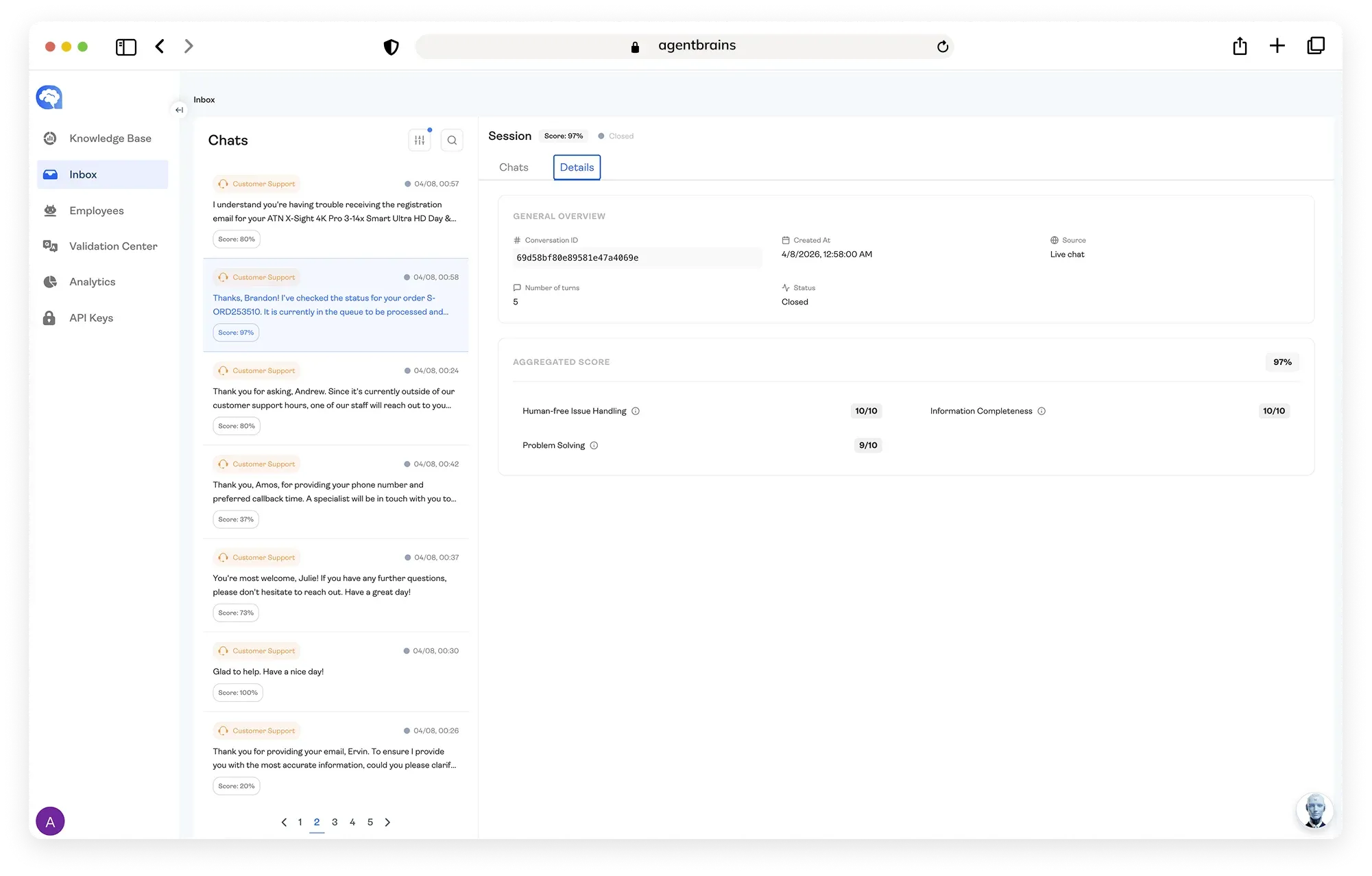
This score is calculated by averaging the results of every individual test applied to that conversation. You choose which tests apply to each agent (up to five), and we handle the math.
The score is color-coded directly in the Inbox sidebar:
Green
The agent performed well. No action needed.
Yellow
Mixed results. Worth a look if you're debugging.
Red
Something went wrong. Open this conversation.
The Detailed Breakdown
For example, a conversation with a 63% Aggregate Score might break down as:

Problem Solving: 9/10 — The agent identified the issue and resolved it.
Information Completeness: 8/10 — All questions were answered with minor gaps.
On Task: 7/10 — Mostly focused, with some unnecessary filler.
Customer Mood Change: 4/10 — The customer's frustration was never addressed.
Human-Free Issue Handling: 3/10 — The agent escalated prematurely.
This tells you something very specific: the agent knows the material (high Problem Solving and Completeness scores), but it's losing the customer emotionally and giving up too early. That's a behavioral issue — not a knowledge gap — and now you know exactly where to focus your next round of tuning.
Choosing the Right Tests for Your Agent
Not every agent has the same job, and not every conversation should be measured the same way. A Sales agent needs to be graded on closing deals and handling objections. A Support agent needs to be graded on solving problems and keeping customers calm. A Compliance bot needs hard pass/fail checks.
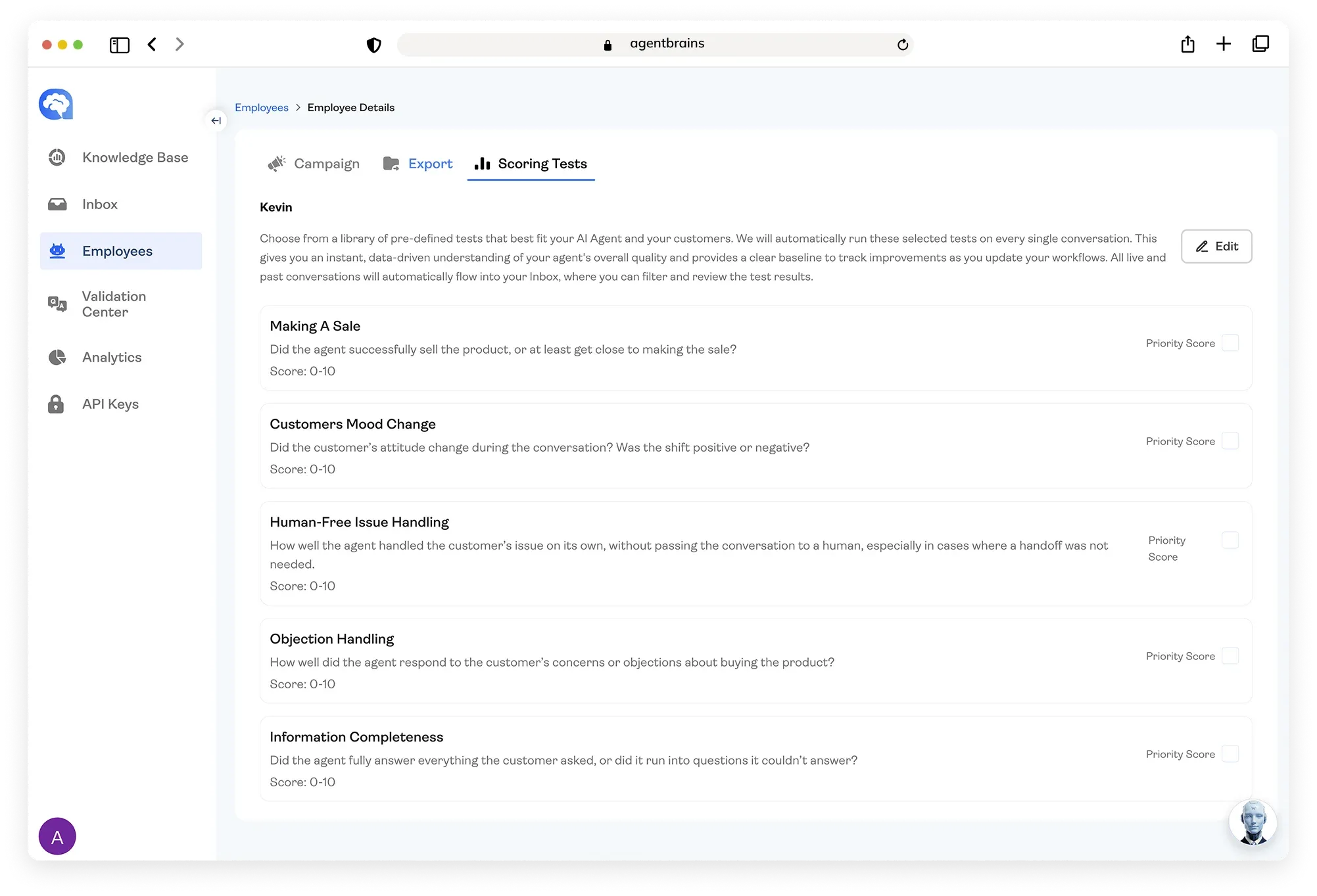
When you register an agent in AgentBrains, you select up to 5 scoring tests from our library. These tests run automatically against every conversation that agent handles — in validation and in production. Choose the tests that match the agent's role, and you'll get scores that actually mean something for your use case.
Below is an overview of the tests currently available. For full documentation — including the complete 1–10 scoring scale, examples of high and low scores, and common failure patterns — visit each test's dedicated page in our Docs.

Scoring Tests Library
Test: On Task
What it measures: Whether the agent stays focused on the customer's actual question and delivers specific, relevant answers — not generic filler.
Test: Objection Handling
What good looks like: The agent acknowledges the concern respectfully, counters with clear reasoning or alternatives, and suggests a concrete next step to keep the conversation moving toward a decision. It doesn't ignore the objection or respond with empty "we're the best" claims.
Test: Problem Solving
What good looks like: The agent identifies the real issue quickly, provides clear and correct steps, and the conversation ends with the customer confirming the fix worked — or with high confidence that the guidance was sound.
Test: Information Completeness
What good looks like: Every question the customer raises gets a clear, detailed answer. If the agent doesn't know something, it explains what it can do next instead of guessing. Nothing is skipped or dodged.
Test: Customer Mood Change
What good looks like: The customer ends the conversation feeling the same or better than when they started. If frustration appears mid-conversation, the agent recovers it quickly. The interaction closes on a positive or calmly resolved note.
Test: Human-Free Issue Handling
What good looks like: The agent handles common requests end-to-end. It only escalates when truly necessary — and when it does, the handoff is smooth and contextual. The customer never has to demand a human because the bot stopped being useful.
Test: Making a Sale
What good looks like: The agent answers pricing and availability questions directly, confirms the customer's intent, and proactively suggests the next action. The conversation doesn't end with a vague "let me know if you need anything" — it ends with progress toward a purchase.
Scoring Across Your Entire Lifecycle

One Scoring Engine. Every Stage
The same tests that grade your live customer conversations can be the same tests that run during Synthetic QA validation.
During development, you run Synthetic Users against your agent and get scored results before a single real customer ever interacts with it. If your Refund Agent scores a 45% against a "Frustrated Customer" synthetic persona, you catch and fix before release..
In production, the scoring engine continues to run on every real interaction. Your Inbox becomes a filterable, score-driven command center — but the real power is what happens when those scores flow into Analytics

Scores become your analysis layer
Every conversation score feeds directly into your Analytics dashboards, where individual data points turn into trends you can actually act on. Filter by date range, by agent, or by specific test — and within seconds you can see whether your "Problem Solving" scores have been climbing since you updated the Knowledge Base last Tuesday, or whether "Objection Handling" has been quietly sliding downward over the past two weeks.

Track improvement after every change
When you retrain an agent — whether that's adjusting the System Prompt, restructuring a knowledge folder, or refining a policy document — scores give you a before-and-after comparison that's immediate and concrete. You don't have to read fifty transcripts to decide if the change worked. Filter your Analytics to the relevant time window, compare the Aggregate Scores, and drill into the individual test results that matter. The data tells the story.

Spot performance trends before they become problems
A single low-scoring conversation is a data point. A downward trend across your last 200 conversations is a pattern — and Analytics surfaces that pattern for you. Maybe your agent handles weekday volume well but degrades under weekend traffic. Maybe a specific test category has been slowly declining as your product catalog has grown. These are the kinds of insights you can only see when every conversation is scored consistently, and when those scores are aggregated over time in one place.
Scoring isn't a feature you check once and forget. It's the continuous signal that tells you whether your agents are getting better, holding steady, or starting to drift — and it gives you the data to prove it.